Open-source post-quantum cryptography serverless CA
A guide on setting up a post-quantum cryptography serverless CA, also published as a blog post.
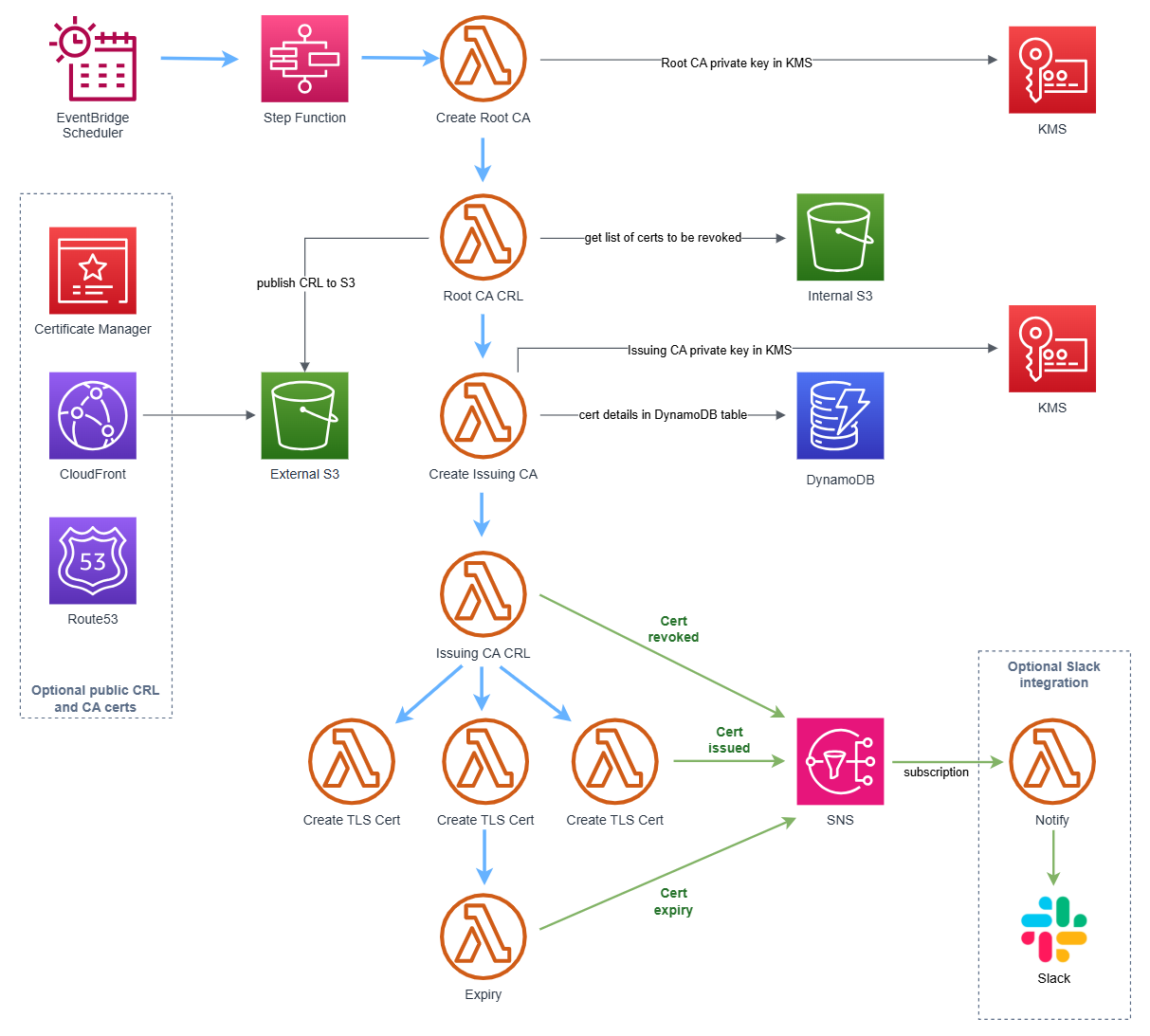
Introduction
In 2024, we open-sourced our serverless private cloud Certificate Authority and public Terraform Module.
We've since released a major new version with post-quantum cryptography support, using the NIST approved ML-DSA algorithm.
Post-quantum Cryptography
US Government bodies including the White House and NSA have mandated implementation of post-quantum cryptography from 2027 to 2035.
The serverless CA now supports fully post-quantum CA hierarchies using ML-DSA (Module-Lattice Digital Signature Algorithm), NIST's primary post-quantum signature standard, defined in FIPS 204 with X.509 certificate profile per RFC 9881.
CA hierarchies are a priority for post-quantum migration: CA certificates are long-lived, and their signatures must remain trustworthy against "harvest now, forge later" adversaries with future quantum computers.
Supported algorithms
Choose the ML_DSA_44, ML_DSA_65 or ML_DSA_87 key spec for each CA independently via the root_ca_key_spec and issuing_ca_key_spec Terraform variables.
CA private keys are generated and used within AWS KMS FIPS 140-3 Security Level 3 validated HSMs, exactly as for RSA and ECDSA CAs, and cannot be exported. Certificate, CSR and CRL signing uses the KMS ML_DSA_SHAKE_256 signing algorithm with the EXTERNAL_MU message type, so CRLs of any size can be signed despite the 4,096-byte KMS RAW message limit.
Check ML-DSA key spec availability in your target AWS region before deploying.
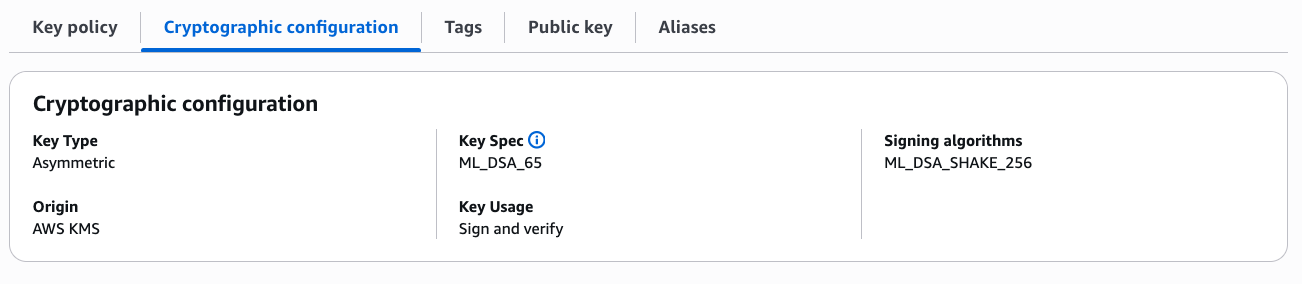
Example deployment
We provide a ml-dsa example which deploys an ML_DSA_65 root CA and ML_DSA_44 issuing CA with a public CRL, via a GitHub Actions workflow.
In this case, it shares an AWS account and Route53 hosted zone with a traditional RSA deployment. Alternatively, the ML-DSA serverless CA can be deployed as completely standalone infrastructure.
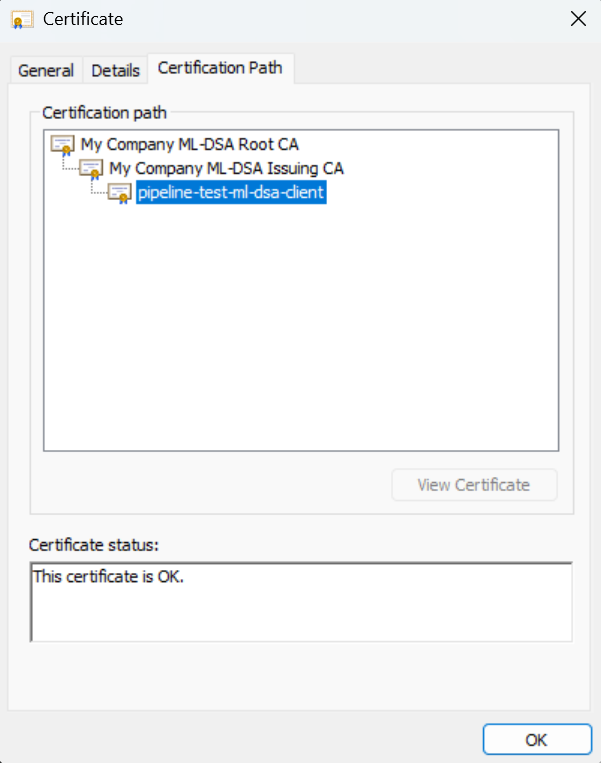
Example CA certificates and CRLs
Locations below are download links for our example ML-DSA deployment:
CA certificates:
CRLs:
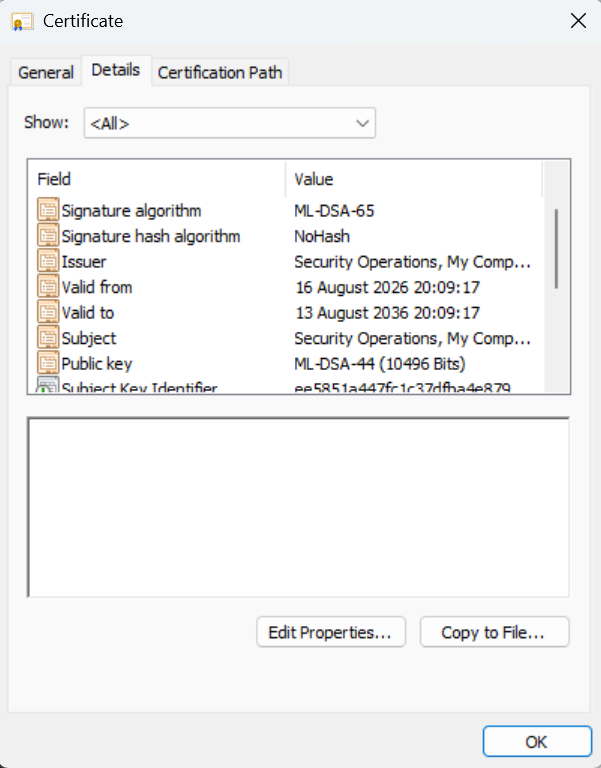
Certificate Revocation Lists
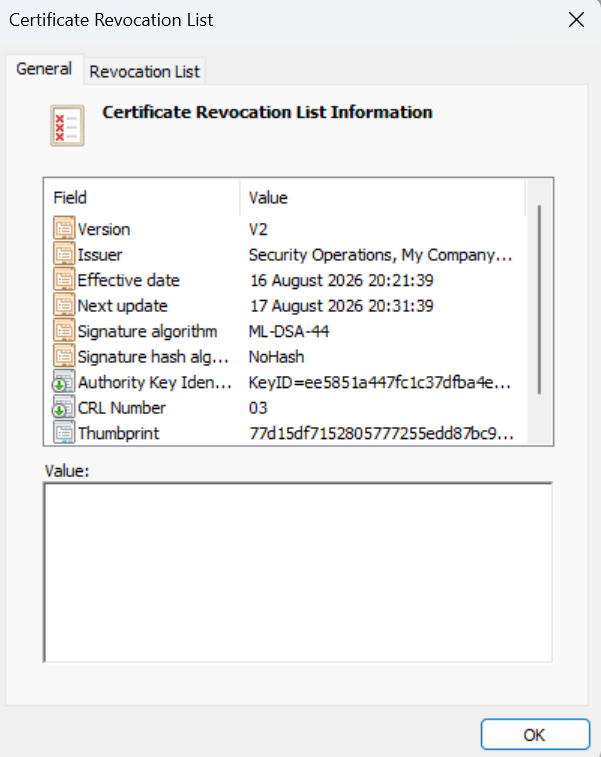
ML-DSA CRLs work identically to classical CRLs, signed by the CA private key in AWS KMS, published on the schedule set by the schedule_expression Terraform variable.
Compatibility
Only a limited number of operating systems and applications support ML-DSA as of August 2026, e.g.
- OpenSSL 3.5+, Java 25+, and Python
cryptography48.0.0+ can verify ML-DSA certificate chains - Microsoft Windows 11 (2025 updates onwards) imports and displays ML-DSA certificates
- AWS KMS has supported ML-DSA signatures since June 2025
- AWS announced ML-DSA support for IAM Roles Anywhere March 2026
However, as of August 2026:
- Apple macOS Keychain doesn't support ML-DSA certificates and errors on import
- AWS Application Load Balancer and API Gateway don't support ML-DSA for mTLS
- Mainstream web browsers don't accept ML-DSA certificates
ML-DSA is opt-in per CA deployment, so an ECDSA / RSA hierarchy can run in parallel, as in the example deployment above.
Create ML-DSA Certificate Authority
Follow the instructions in the Getting Started guide, in a stand-alone AWS account, with the addition of two additional Terraform variables when calling our Terraform module:
root_ca_key_spec    = "ML_DSA_65"
issuing_ca_key_spec = "ML_DSA_44"
If you're sharing the account and hosted zone with an existing CA deployment, extra variables are required, as used in our example, and detailed in the relevant FAQ.
Apply Terraform.
Test ML-DSA Certificate Authority
Issue a fully post-quantum client certificate from your ML-DSA CA, with AWS credentials for your CA AWS account:
git clone https://github.com/serverless-ca/terraform-aws-ca.git
cd terraform-aws-ca
pip install -r utils/requirements.txt
python utils/client-cert.py --profile <your-aws-profile> --keyalgo ml-dsa-44 --project pqc
- ML-DSA-44 key pair is generated locally
- CSR is signed with the local ML-DSA key and submitted to the
tls-certLambda function, which issues the certificate signed by the ML-DSA issuing CA --project pqctargets the ML-DSA deployment when more than one CA shares the AWS account, as in the example deployment - omit for an account with a single CA- certificate, private key (PKCS8) and CA bundle are written to your local
~/certsdirectory
Verify the issued certificate with OpenSSL 3.5+:
openssl verify -CAfile ~/certs/ca-bundle.pem ~/certs/client-cert.crt
openssl x509 -in ~/certs/client-cert.crt -text -noout
👏 🎉 🎊 Congratulations, you've set up and tested the open-source serverless CA with post-quantum cryptography 🎆 🌟 🎇
Acknowledgements
This enhancement would not have been possible without the excellent foundation work to develop ML-DSA capability by the AWS KMS team and maintainers of the open-source Python Cryptography project 👏👏👏