Amazon CloudFront mTLS with open-source serverless CA
At re:Invent 2025 AWS announced support for client certificate authentication to Amazon CloudFront. This requires a private Certificate Authority (CA) to issue client certificates to authorise users or systems to access CloudFront using mutual Transport Layer Security (mTLS).
Applications could include IoT device management, authenticated APIs, closed community access to web content and applications, and restricted access to non-production environments.
We use our open-source serverless cloud CA, a cost-effective, secure private CA which is straightforward to deploy as a Terraform module.
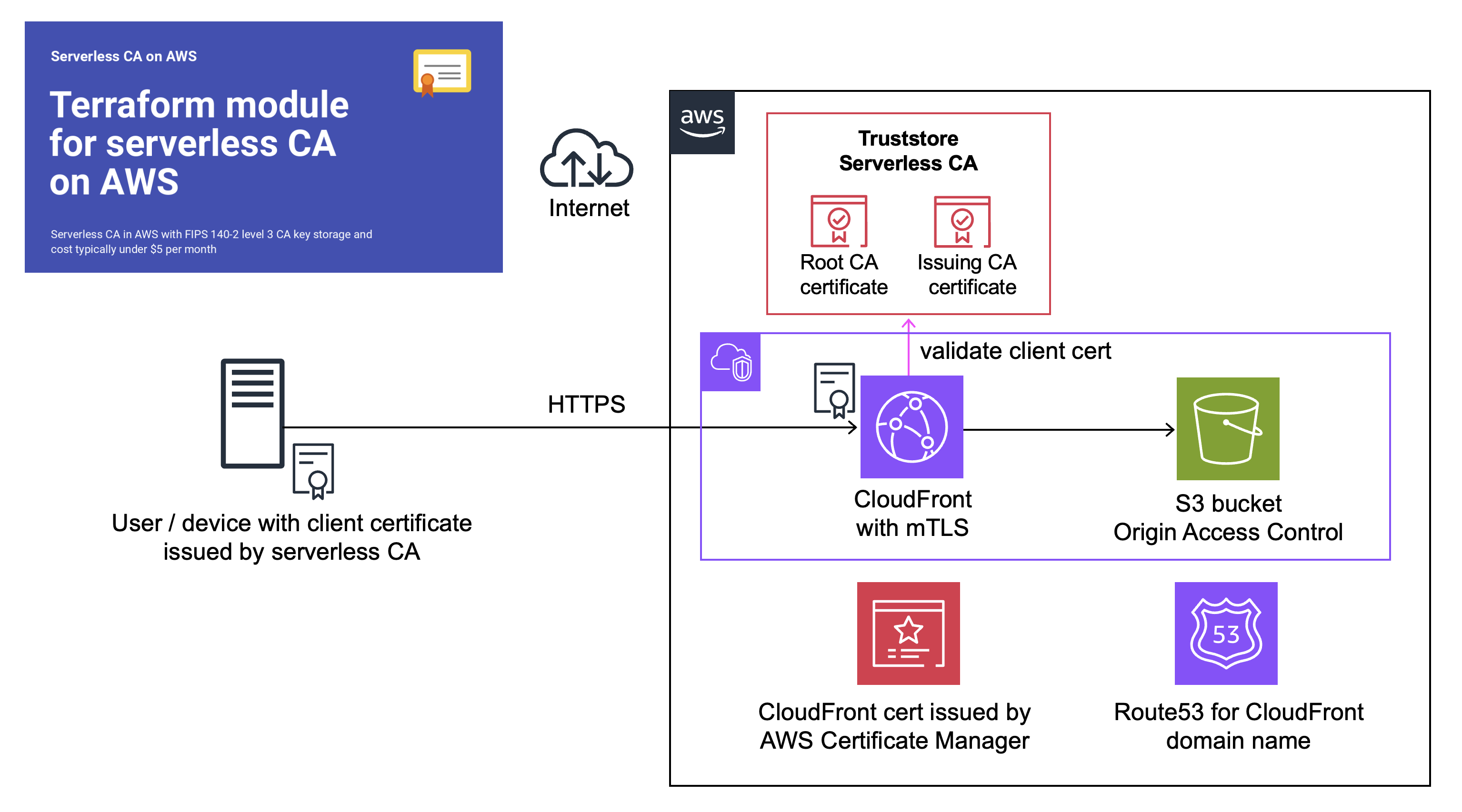
Deploy CloudFront without authentication
We’ll start by setting up a standard CloudFront distribution, open to the world.
The following resources will be deployed to your AWS account:
- Certificate in AWS Certificate Manager
- S3 bucket with static website as in this example
- CloudFront distribution with Origin Access Control
You’ll need to already have a public Route53 Hosted Zone in your AWS account, and a S3 bucket for Terraform state.
git clone https://github.com/celidor/aws-cloudfront.git
- update
backend.tf.exampleand rename without the.examplesuffix - duplicate
terraform.tfvars.exampleand rename without the.examplesuffix - enter values for your S3 bucket, the Route53 hosted zone domain and prefix to be used by the website
cd aws-cloudfront
terraform init
terraform workspace new dev
terraform plan
terraform apply
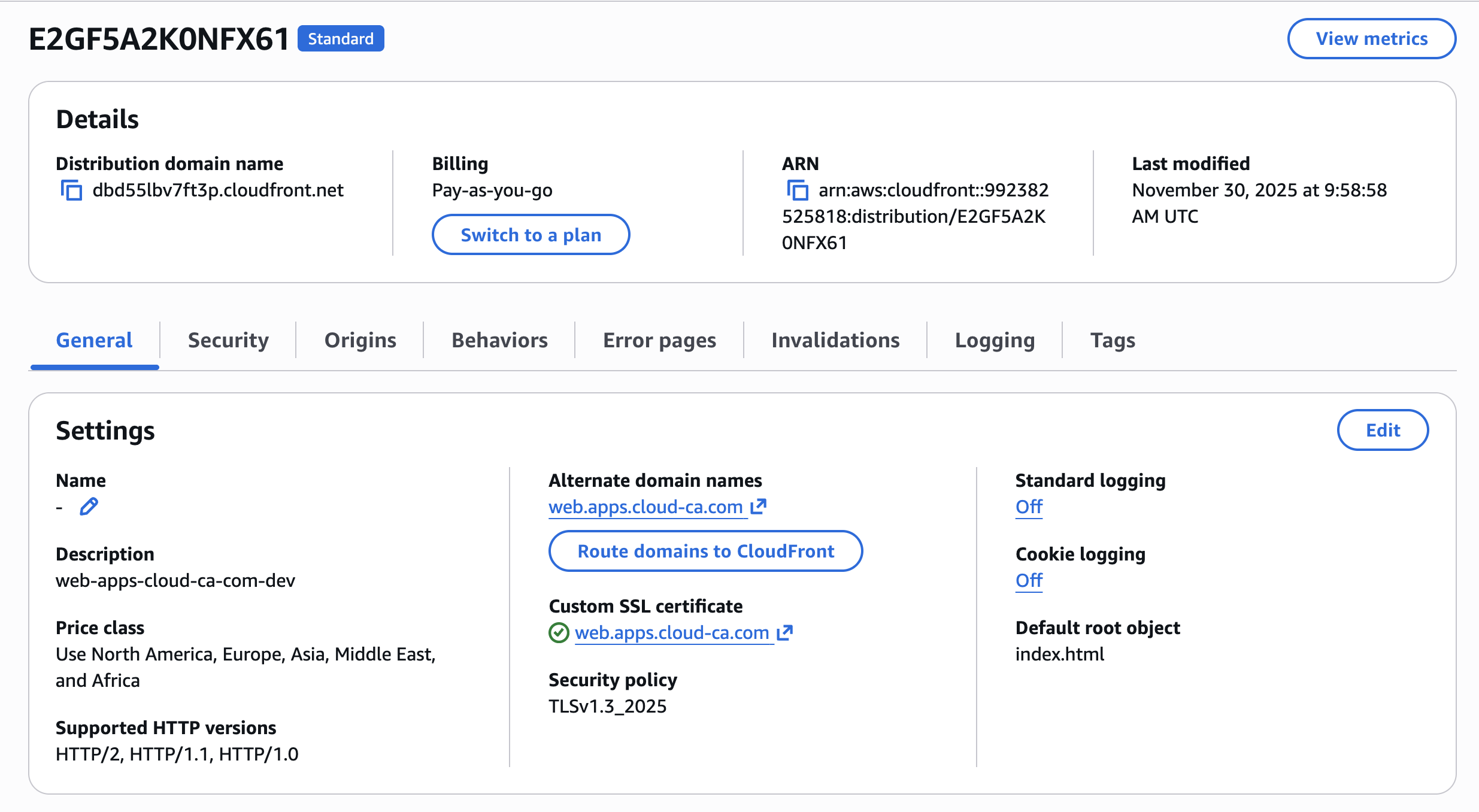
In the AWS console, view the CloudFront distribution:
Test CloudFront without authentication
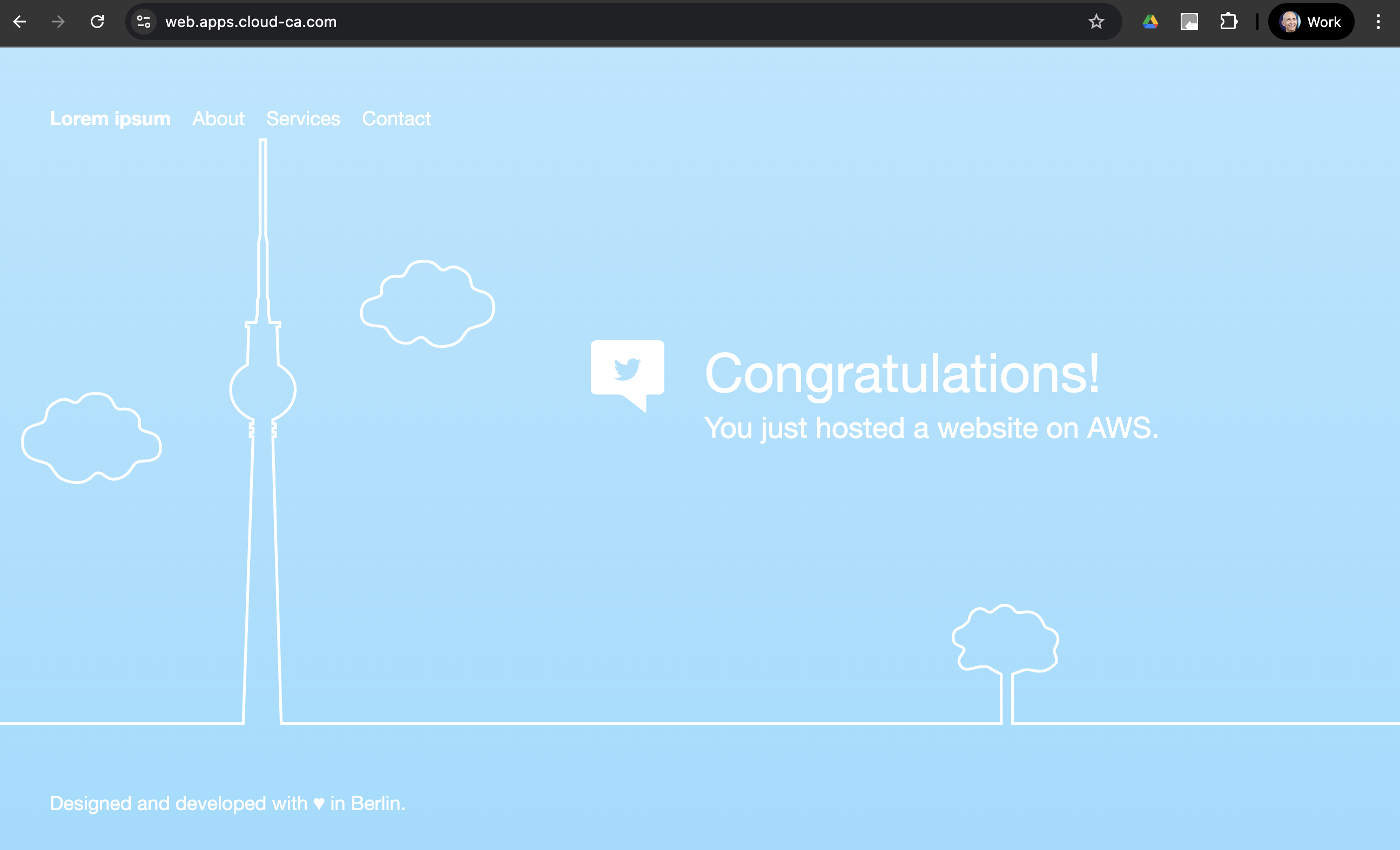
Using a web browser, browse to the domain name you specified:
The implementation includes good practice security features:
- Origin Access Control to prevent CloudFront bypass
- S3 Block Public Access
- CloudFront TLS policy requiring TLS v1.3
- Custom CloudFront security header policy
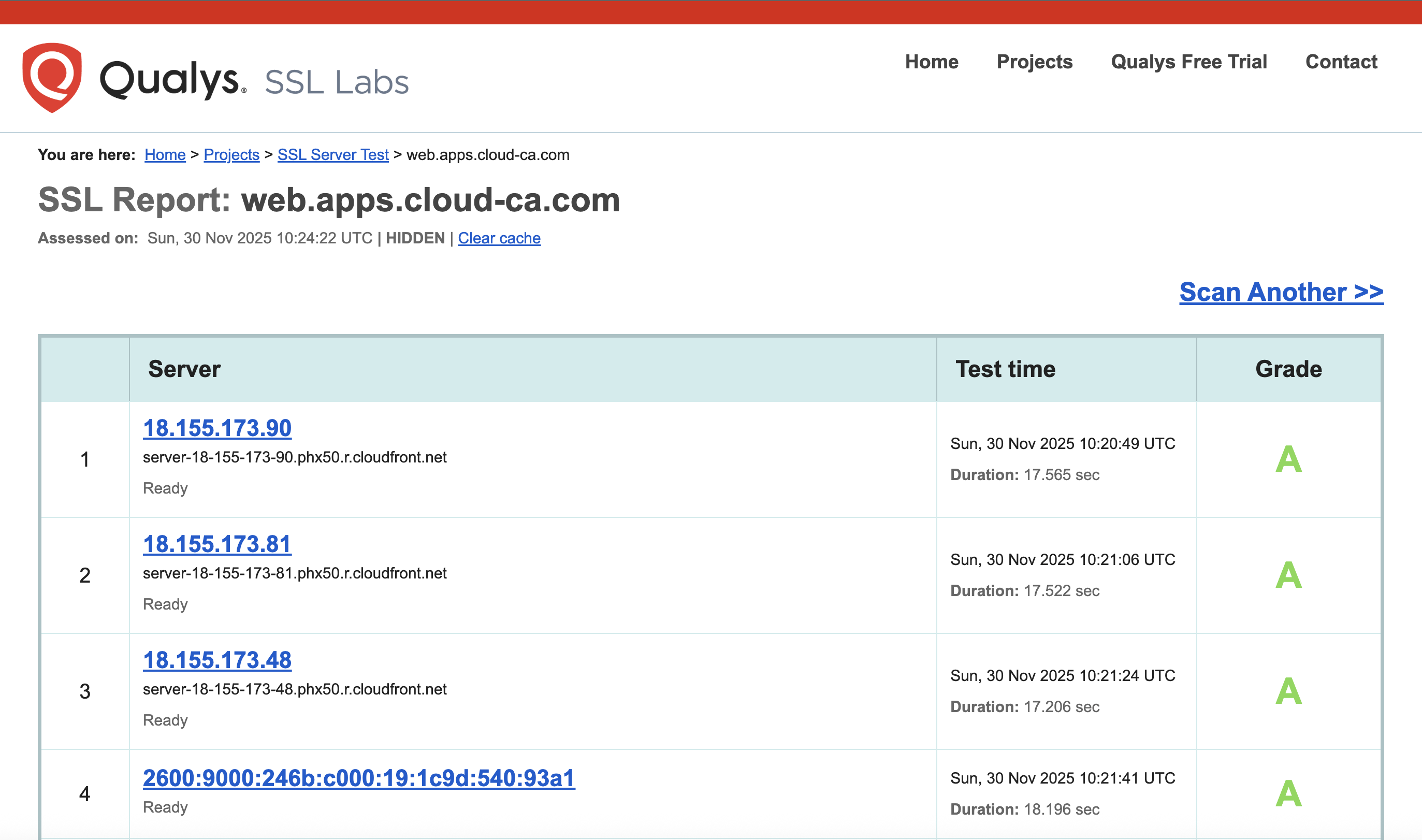
Optionally, check TLS at SSL Labs, Test your server (this can take a while):
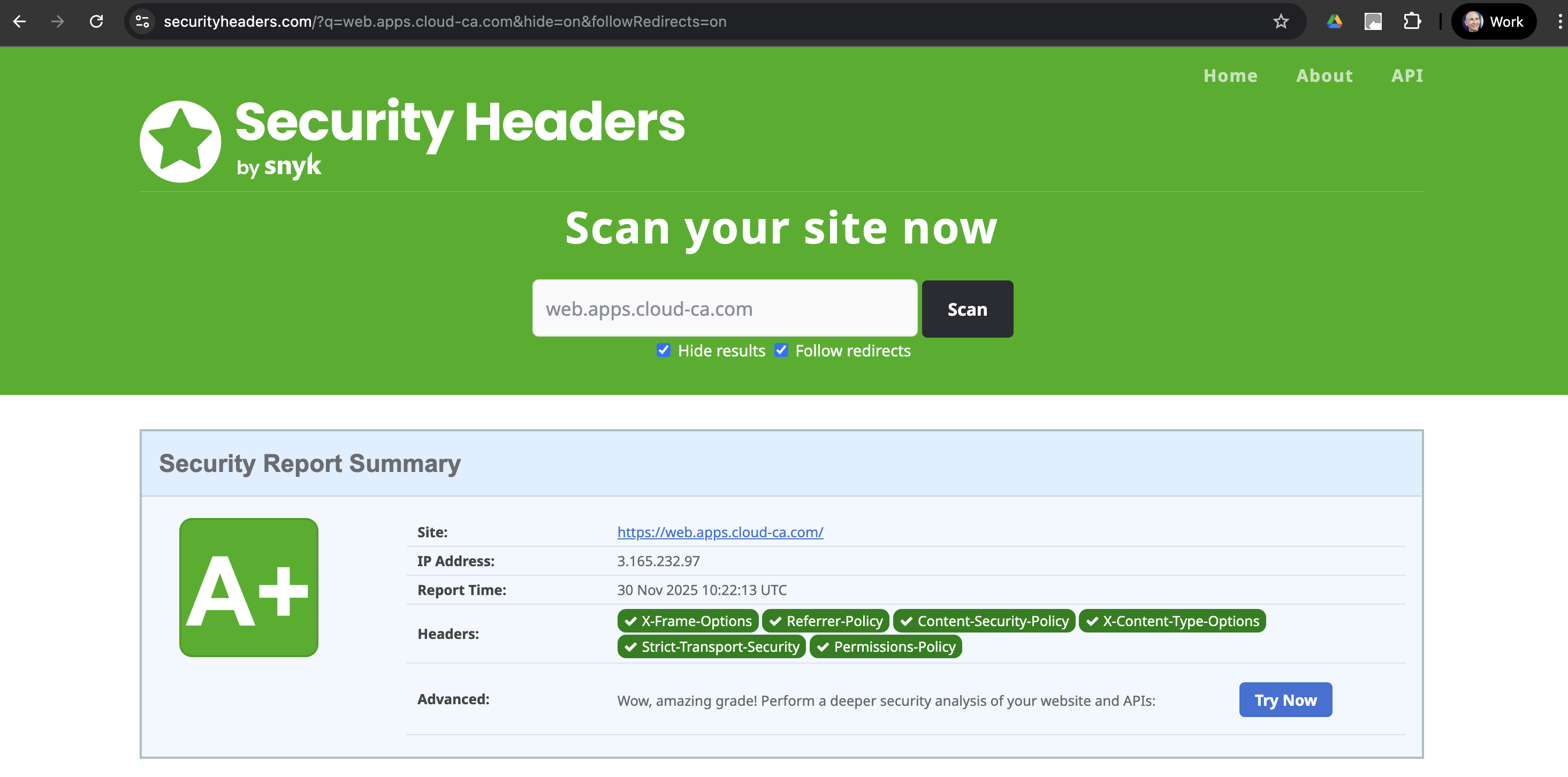
Optionally, check security headers at securityheaders.com:
Implement open-source serverless CA
If you haven’t already, set up the open-source serverless CA as detailed in this Medium article. From a security perspective, a production CA should be in a dedicated AWS account, separate from the AWS account used for Amazon CloudFront.
The Serverless CA used for this guide is deployed by Terraform from this repository.
Store CA Certificate Bundle in S3
The serverless CA already includes a S3 bucket designed for downloading certificate bundles, which is deployed in the selected region for the serverless CA.
However, CloudFront trust store functionality expects the S3 bucket to be in the us-east-1 region.
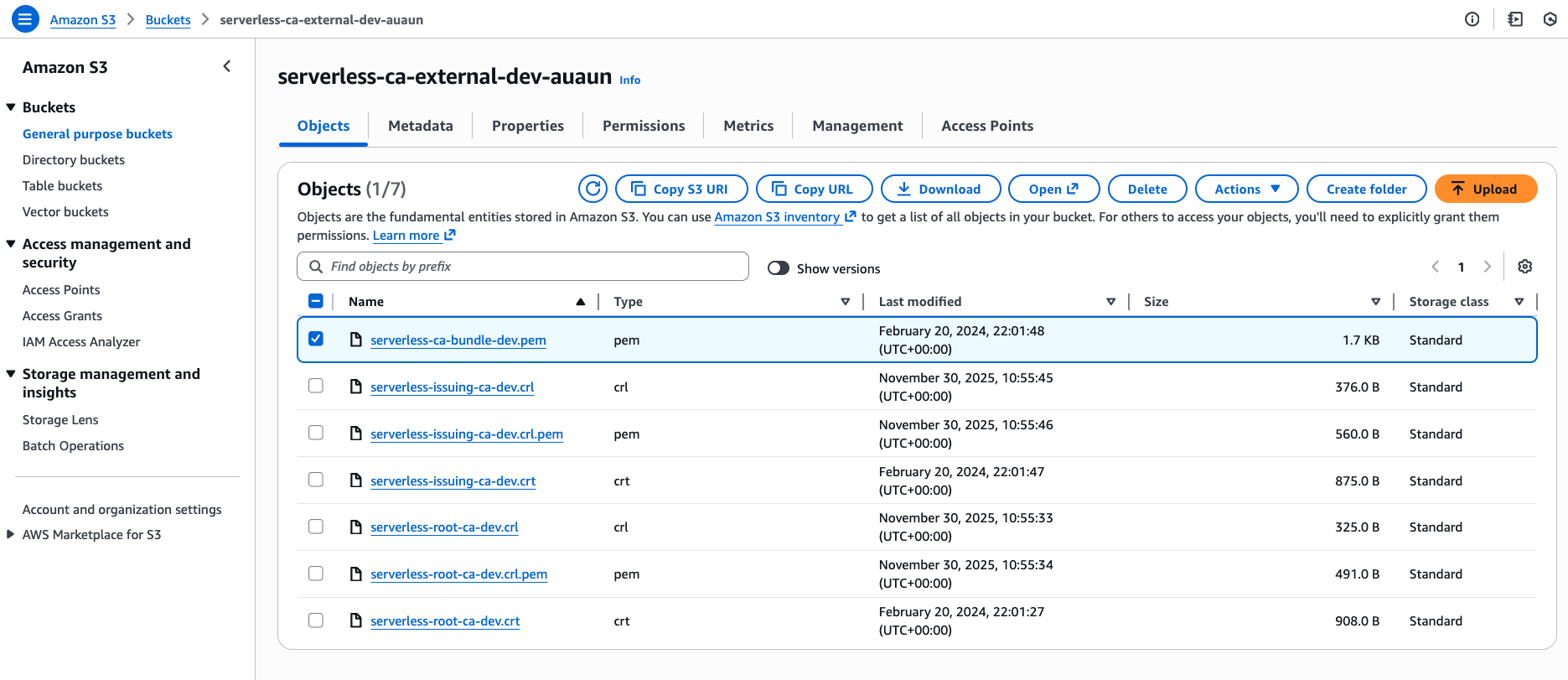
Download the CA bundle file, e.g. serverless-ca-bundle-dev.pem from the S3 external bucket in your serverless CA account:
Check the CA bundle file is correctly formatted:
openssl crl2pkcs7 -nocrl -certfile Downloads/serverless-ca-bundle-dev.pem | openssl pkcs7 -print_certs -text -noout
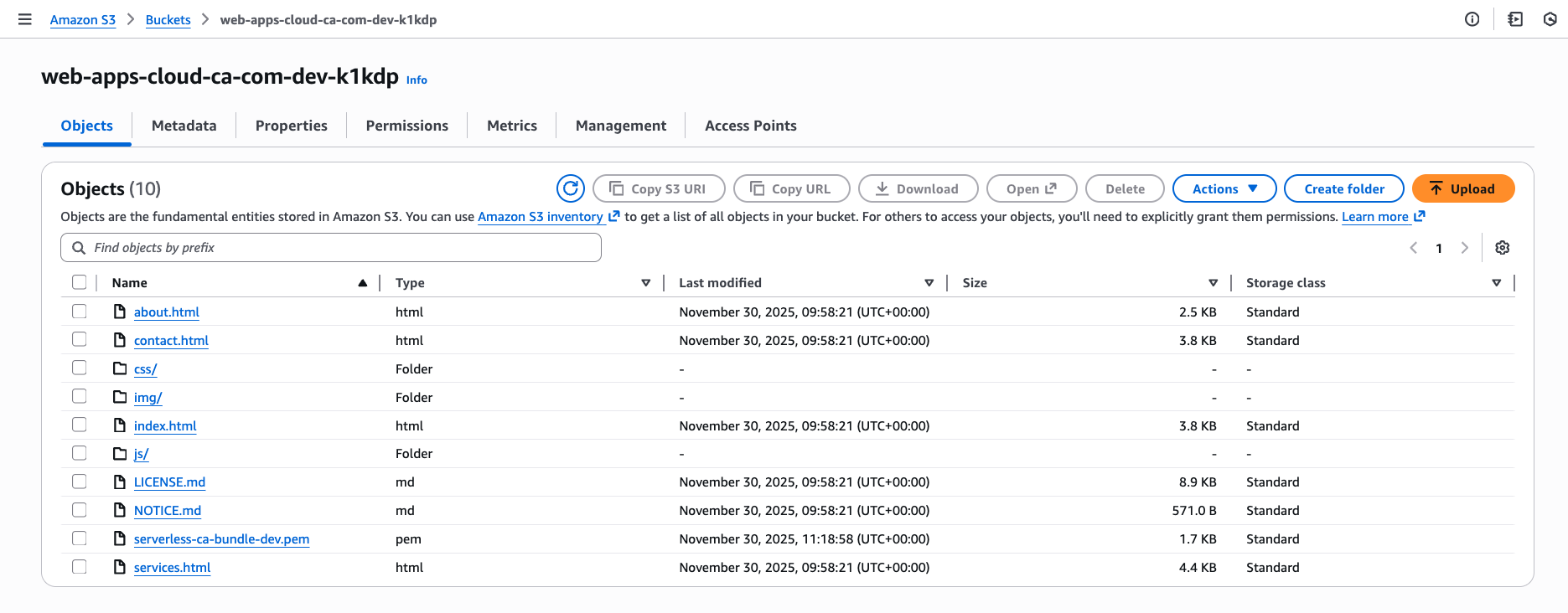
In the account in which you set up CloudFront, find the newly created website content S3 bucket, e.g. web-apps-cloud-ca-com-dev-k1kdp in the us-east-1 region. Upload the CA bundle to the website content bucket using the command line, this is essential to ensure the correct text/plain content type.
aws s3 cp Downloads/serverless-ca-bundle-dev.pem s3://web-apps-cloud-ca-com-dev-k1kdp/serverless-ca-bundle-dev.pem --content-type "text/plain"
Create CloudFront Trust Store
We’ll do the next steps manually, for the purposes of understanding and learning. However in a real environment, these should all be implemented using infrastructure-as-code such as Terraform.
- CloudFront, Security, Trust Stores, Create Trust Store
- Enter a name for the Trust Store
- Browse to the website content S3 bucket
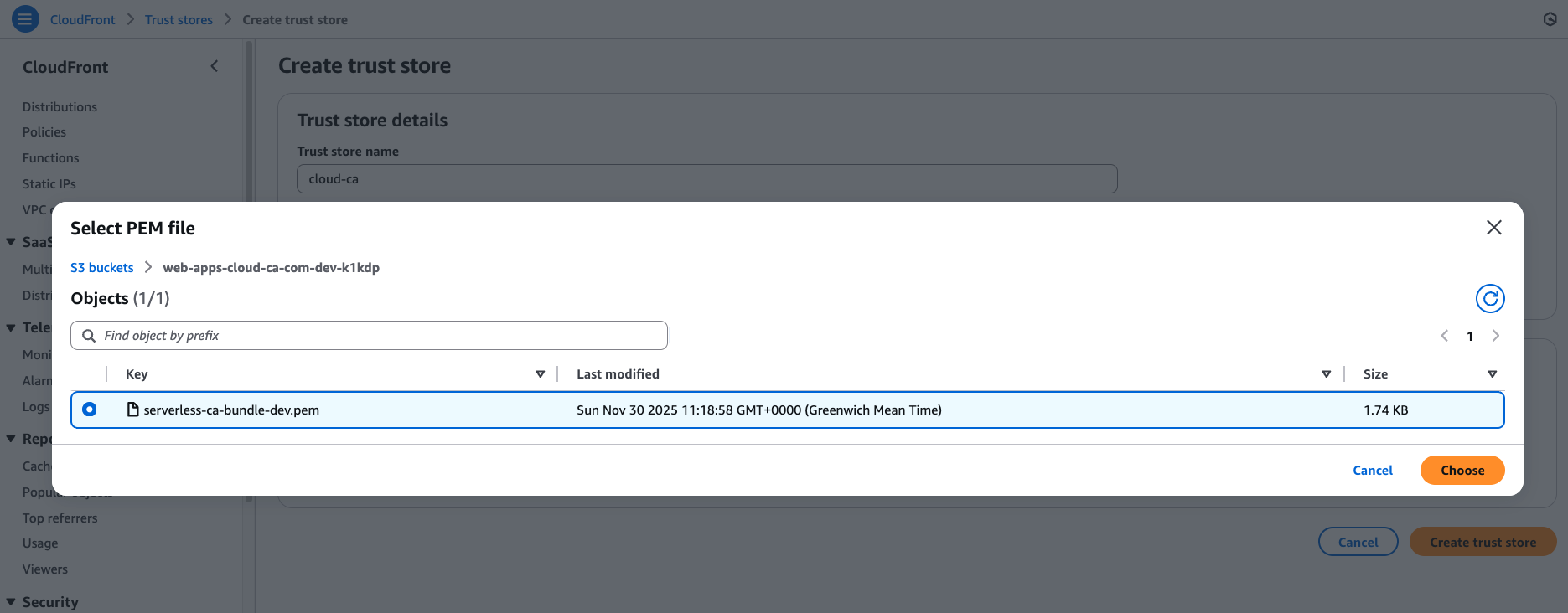
Select Choose
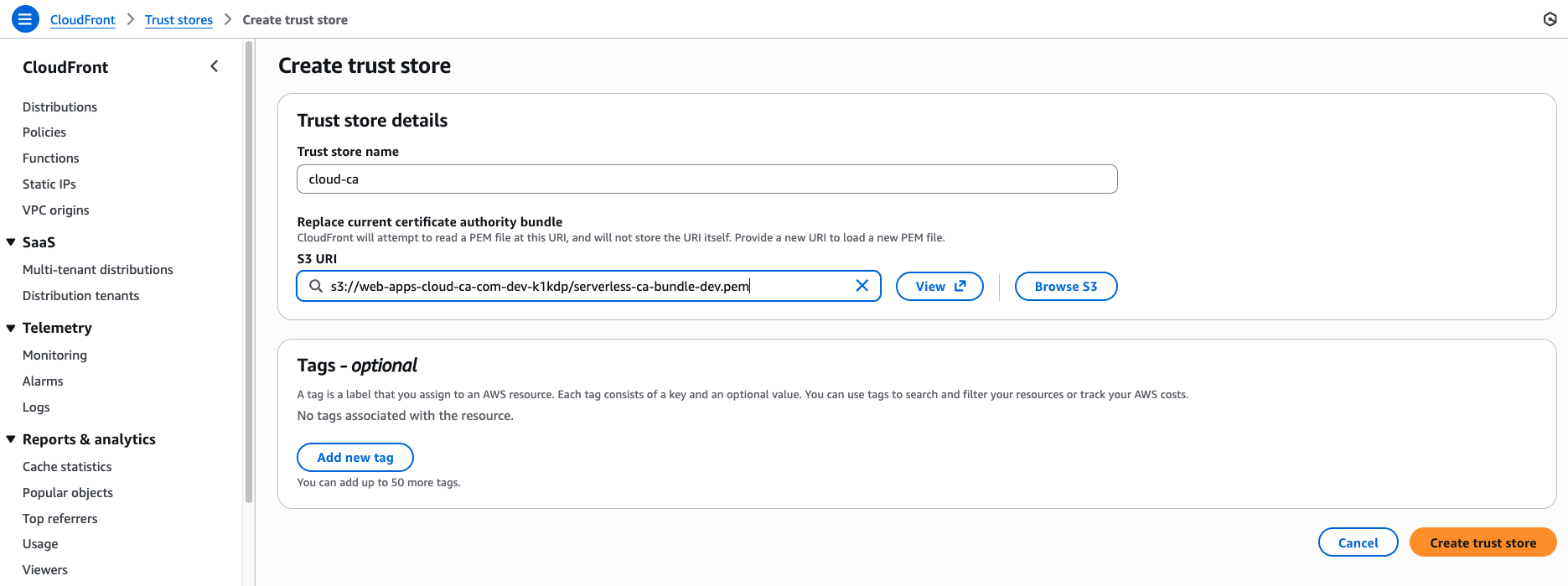
Press Create trust store.
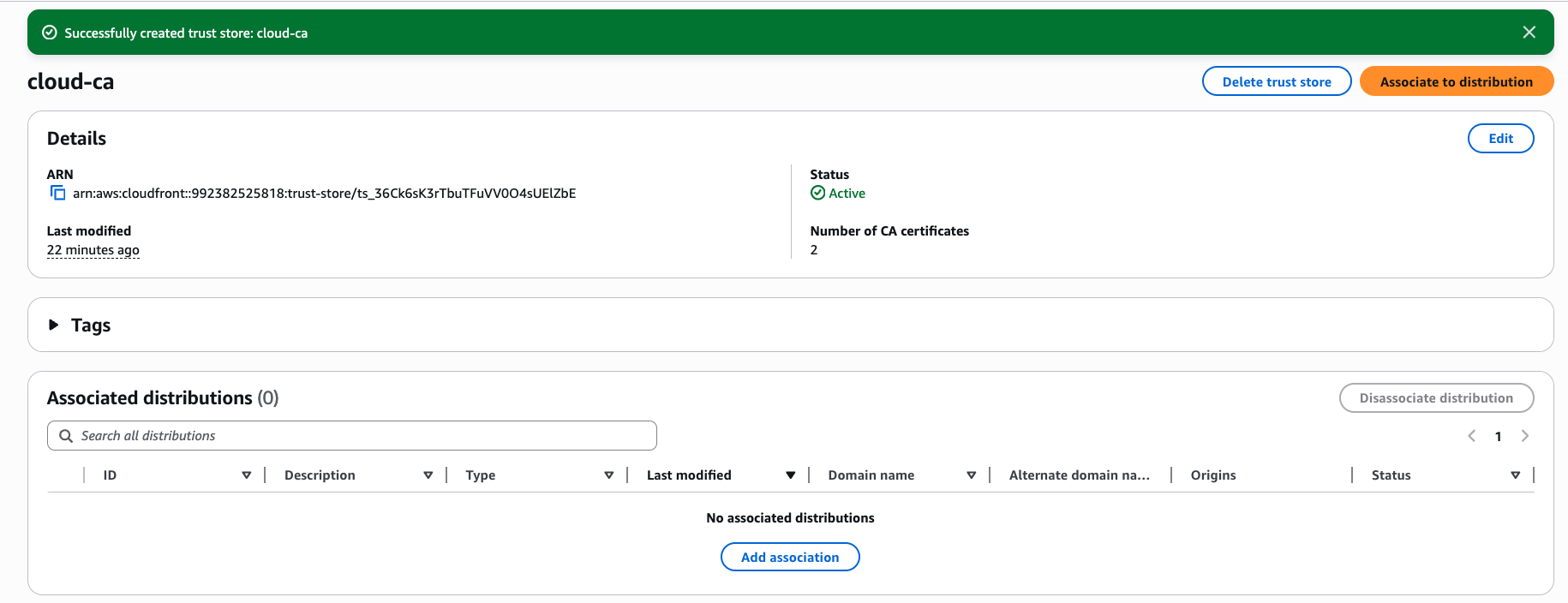
Associate Trust Store with CloudFront Distribution
- Press Add association
- Leave the configuration default values
- Select your CloudFront distribution
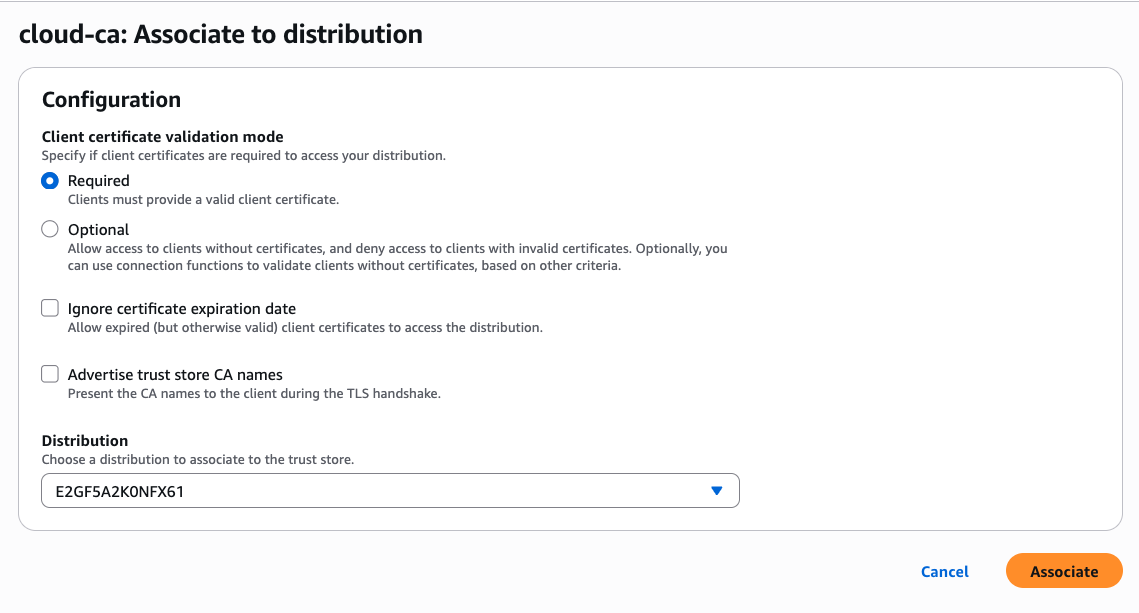
- Press Associate
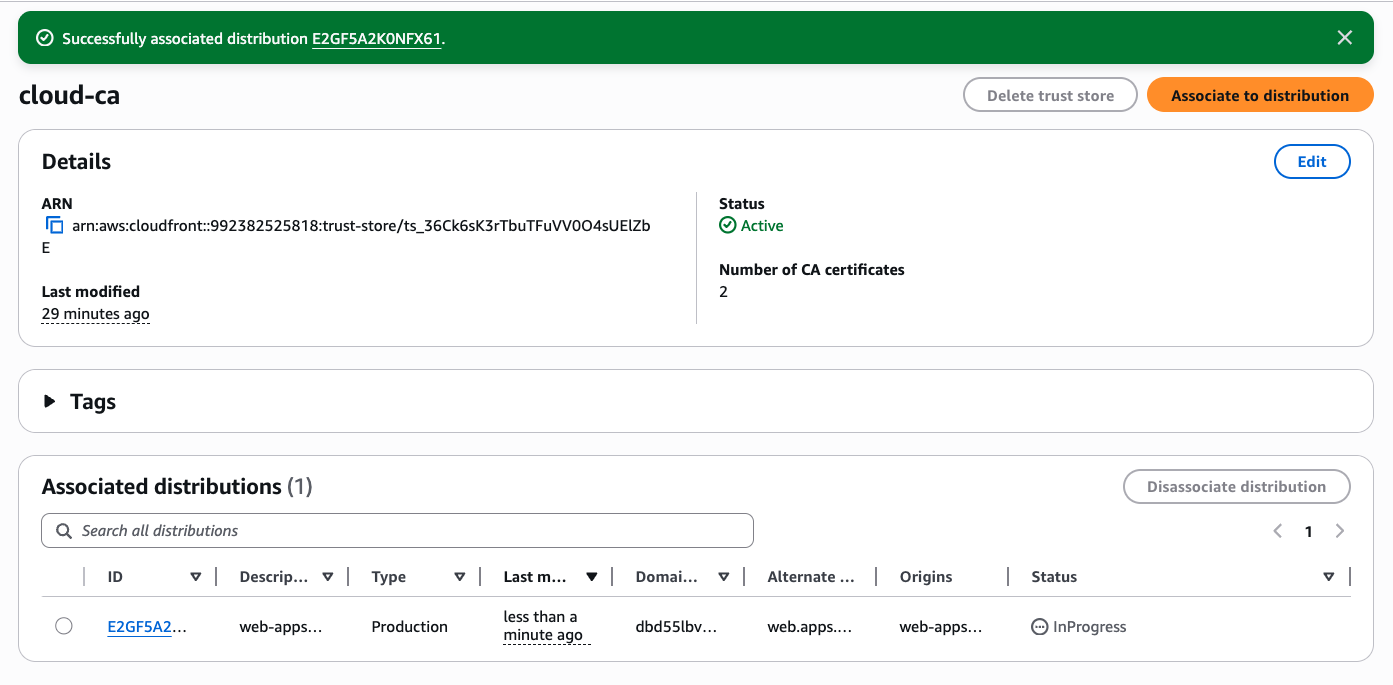
- After 5–10 minutes the status should be shown as Deployed
Test CloudFront without client certificate
Now it’s time to test.
Browse to your domain name as before. Using curl:
curl https://web.apps.cloud-ca.com
curl: (16) Error in the HTTP2 framing layer
As you can see, it’s no longer possible to access the application without a valid client certificate.
Obtain client certificate
- issue a client certificate to your laptop using the
utils\client-cert.pyscript as described in the serverless CA Getting Started guide - this will create the following files in your home directory:
certs/client-key.pem
certs/client-cert.pem
certs/client-cert.crt
certs/client-cert-key.pem
Test mTLS access to CloudFront
Update your curl command to use the newly created client certificate, for example:
curl -v \
  --cert /Users/paul/certs/client-cert.pem \
  --key /Users/paul/certs/client-key.pem \
  https://web.apps.cloud-ca.com
A successful connection should be returned:
* Host web.apps.cloud-ca.com:443 was resolved.
* IPv6: (none)
* IPv4: 18.245.218.119, 18.245.218.73, 18.245.218.49, 18.245.218.76
*   Trying 18.245.218.119:443...
* Connected to web.apps.cloud-ca.com (18.245.218.119) port 443
* ALPN: curl offers h2,http/1.1
* (304) (OUT), TLS handshake, Client hello (1):
*  CAfile: /etc/ssl/cert.pem
*  CApath: none
* (304) (IN), TLS handshake, Server hello (2):
* (304) (IN), TLS handshake, Unknown (8):
* (304) (IN), TLS handshake, Request CERT (13):
* (304) (IN), TLS...
...
"web.apps.cloud-ca.com"
*  issuer: C=US; O=Amazon; CN=Amazon RSA 2048 M01
*  SSL certificate verify ok.
* using HTTP/2
* [HTTP/2] [1] OPENED stream for https://web.apps.cloud-ca.com/
* [HTTP/2] [1] [:method: GET]
* [HTTP/2] [1] [:scheme: https]
* [HTTP/2] [1] [:authority: web.apps.cloud-ca.com]
* [HTTP/2] [1] [:path: /]
* [HTTP/2] [1] [user-agent: curl/8.7.1]
* [HTTP/2] [1] [accept: */*]
> GET / HTTP/2
> Host: web.apps.cloud-ca.com
> User-Agent: curl/8.7.1
> Accept: */*
>
* Request completely sent off
< HTTP/2 200
...
👏 🎉 🎊 Congratulations, you’ve set up and tested Amazon CloudFront mTLS with the open-source serverless CA 🎆 🌟 🎇
Feedback to AWS
Firstly it’s great that AWS is expanding the scope of mTLS access to its services. Kudos to the CloudFront team on the launch of an excellent new feature👏🏼👏🏼👏🏼.
CloudFront now joins a growing list of AWS services supporting client certificate authentication, including:
Here are my observations, which should be read in the context of this guide being written less than a week after the CloudFront service announcement — so may be out of date by the time you read this article.
- Currently there’s no capability in the console to edit a Trust Store association — it has to be removed and added again with new settings
- It would be helpful if the Trust Store S3 bucket could be in a region other than
us-east-1but if not, the restriction should be mentioned in the documentation - The documentation should be updated to include the recommended content type for the CA bundle file in S3, for example
text/plain
More generally, it’s disappointing that every AWS service team has implemented CA Trust Stores independently, and in an inconsistent manner. For example, to support client certificate authentication for CloudFront, ALB, API Gateway and IAMRA requires four separate Trust Stores, each configured in a different way.
Similarly, certificate revocation is handled differently by every service.
In my opinion, a much better architecture would be to configure the CA Trust Store and certificate revocation lists in a single place, for example within AWS Certificate Manager, and for each application to connect to it.